A skin for Video.js v10
Subtle colour. Precise control.
Every control where you expect it, on glass quietly tinted by each scene — a little playful, never in the way. And when you need it, any frame is one pull away.
Precise seeking
Find any frame by looking for it.
Press anywhere on the picture and pull up. The progress bar rises into a strip of large frames, with a white playhead running down to the track.
- Slide to move one exact frame at a time — the frame rate is measured, not guessed
- Let go and it stays open: drag, click a frame, scroll, or step with ← →
- Enter keeps the frame, Esc goes back to where you started
Chapters
The whole story at a glance.
The chapter you are in sits quietly under the title. Tap it and every chapter opens as a large frame — glide across one to look inside before you jump.
- Chapter names follow playback
- Next and previous with N⇧N
- On phones, the tiles scroll sideways
Cinema looks
Nine ways to see the same film.
From the grain of 35mm to the tracking errors of a worn VHS tape, every look is applied live to the picture alone — the controls stay crisp.
- Real grain, gate weave and projector flicker; VHS tracking errors arrive at random
- Each preview shows the frame you are watching
- Open them with E — and they cost nothing when off








Colour
Lit by every scene.
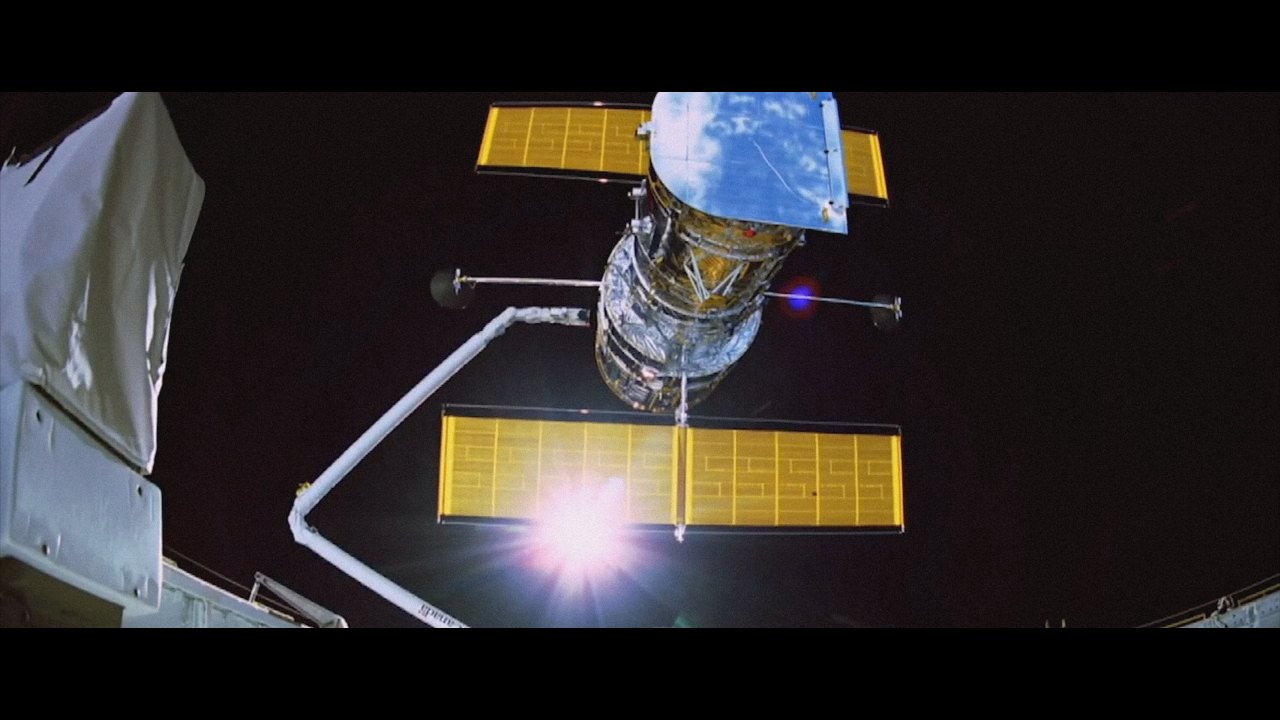
The accent and the glass surfaces are tinted by the shot on screen and retuned so text always holds its contrast. Gold mirror, gold controls.
- Read from the storyboard and the live picture
- Settles on each shot — never flickers
- Over any frame, ink stays legible
Make it yours
Any colour, any surface.
Keep the film's palette, go Neutral, pick one of twelve accents, or slide to any hue. Glass, frosted or solid surfaces, and a shade as soft or deep as you like.
- Remembered for next time
- The hue slider shares the anatomy of every slider in the player
- Settings on S
Focus mode
Just you and the film.
One chevron folds the extra controls away. Play, volume, time and fullscreen stay; everything else waits, out of the tab order too.
- Toggle with Z
- Smooth, never bouncy — and instant with reduced motion
Settings
Every choice, one tap away.
No submenus. Each panel opens from its own button and holds everything related on one screen.
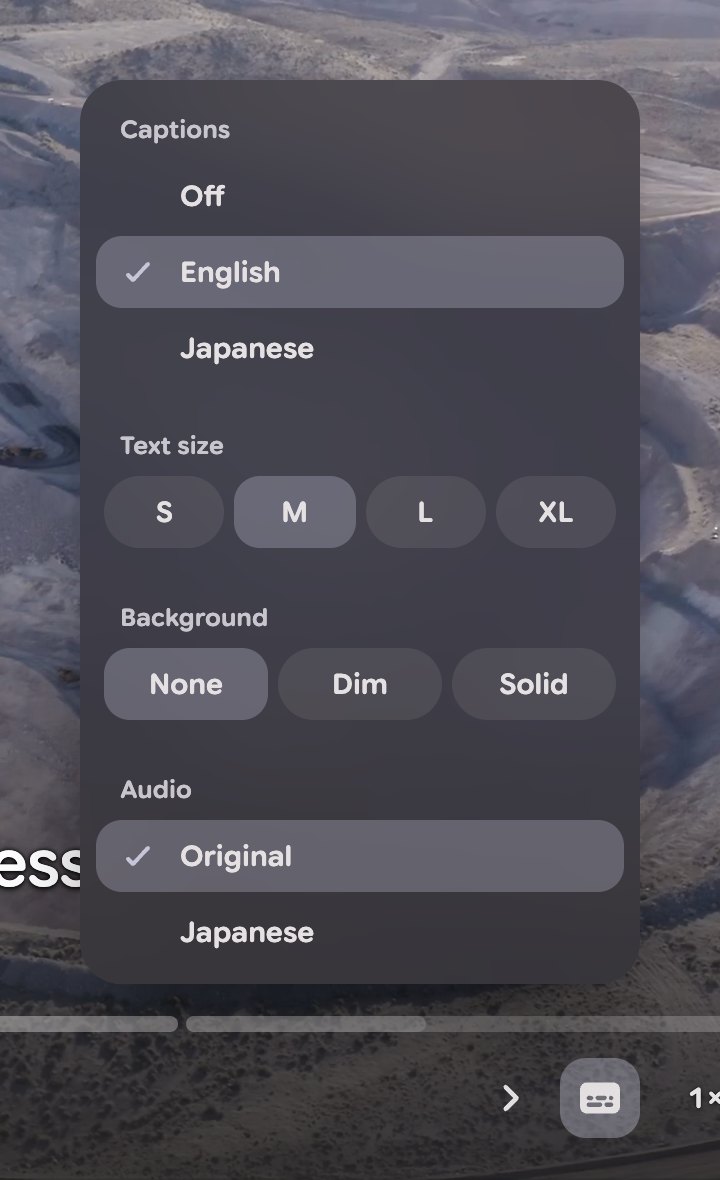
Captions & audio
Languages, text size and background together. On in English by default, drawn crisp by the skin.
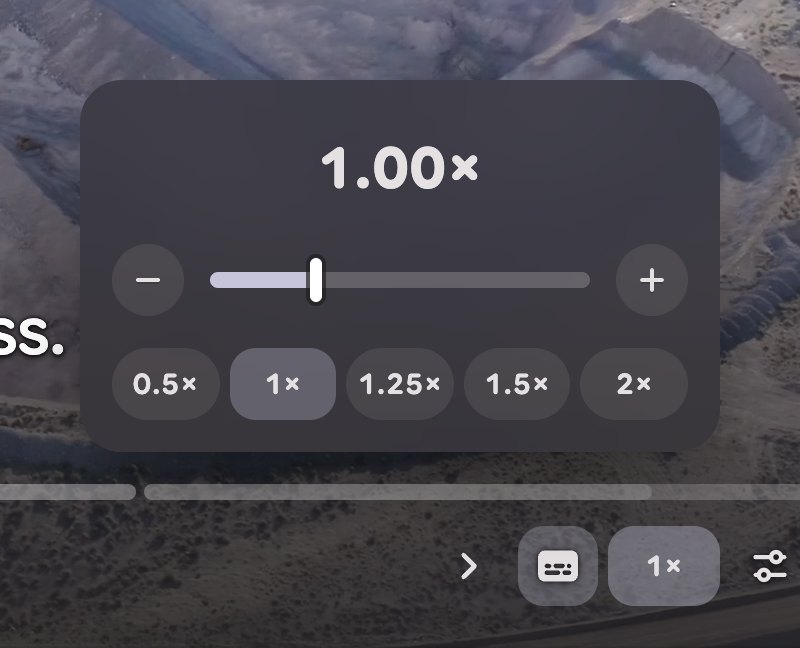
Speed
A large readout, a slider between − and +, and one-tap presets.
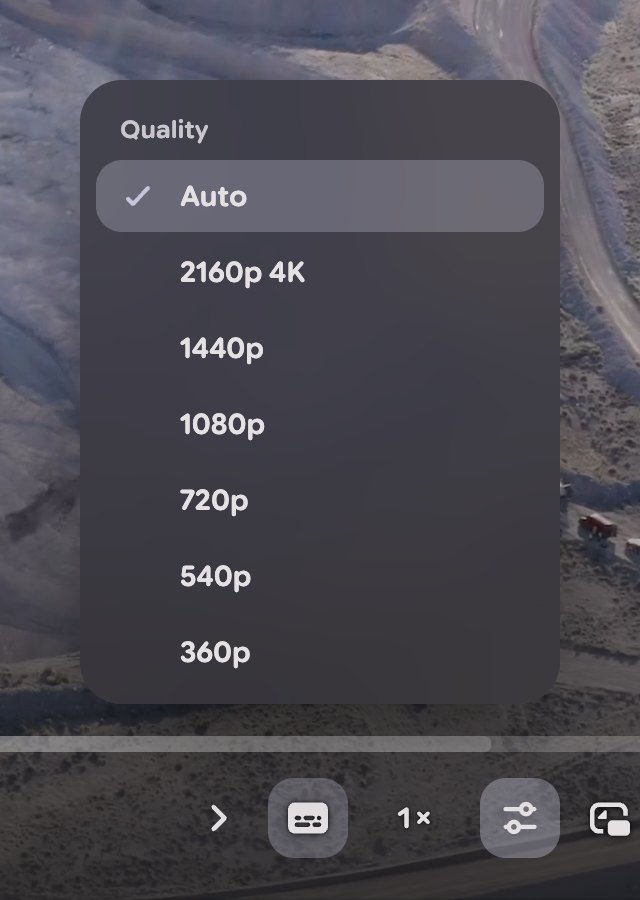
Quality
Auto first, then every rendition, with the current one clearly marked.
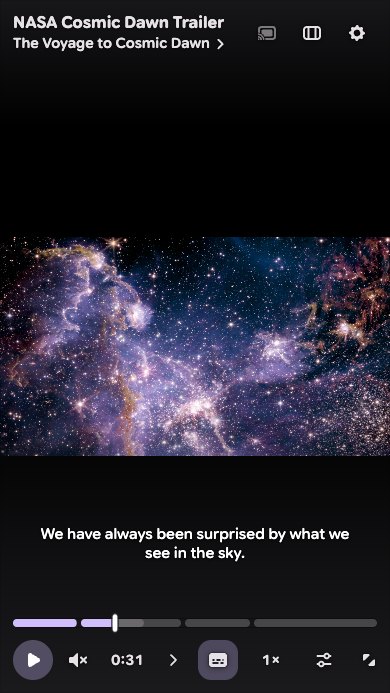
Touch
Made for thumbs.
The same player, rearranged for a hand: bigger targets, gestures where they feel natural, and a picture that stays the picture.
- Tap anywhere to play or pause
- Double-tap a side to skip — taps add up
- Press and hold for 2×
- Pull up for the frame strip
- 44 px targets everywhere
- Fits a 280 px player
Accessibility
Made for everyone, from the first pixel.
Checked in the browser at five player sizes, over bright and dark video, with a keyboard, touch and reduced motion.
Works with a keyboard
Every control in visual order. Panels take focus, close with Escape and hand it back.
Visible focus
One clear ring on every button, row, slider and tile — for the keyboard, never for the mouse.
Readable over any video
A keyline on every glyph and tuned scrims keep white ink legible on pure white and pure black.
Easy to tap
44 px targets on touch, down to a 280 px player where the essentials still fit one row.
Calm on request
Reduced motion turns every animation off: no grain, no weave, no transitions.
Heard as well as seen
Official components name every control; frames, chapters and modes are announced.
Keyboard
A key for everything.
Click the player, then try them. Each one is also shown in its button's tooltip.
- Play / pause
- SpaceK
- Back / forward 10 s
- JL←→
- Volume
- ↑↓
- Mute
- M
- Fullscreen
- F
- Picture in picture
- I
- Captions
- C
- Slower / faster
- <>
- Jump to 0–90 %
- 0–9
- Previous / next frame
- ,.
- Next / previous chapter
- N⇧N
- Chapters
- B
- Captions & audio
- A
- Speed
- X
- Quality
- Q
- Effects
- E
- Settings
- S
- Focus mode
- Z
- All shortcuts
- ?